Inspect PDF Pages
Read page count, MediaBox, CropBox, rotation, and expected display size in your browser
This inspector reads the selected file in your browser without sending it to the service server. It does not extract text or validate document contents, forms, or digital signatures. Keep the original and review downloaded reports before sharing.
Inspector limits: one file up to 100 MiB (104,857,600 bytes), and up to 2,000 pages. These are implementation limits, not a guarantee that your device can process a file of that size.
Practice with known page sizes
These fictional samples contain no personal information. Use the inspection buttons above, or download a PDF here and select it in the file picker.
- Inspect merged.pdf and confirm three pages: two A4 portrait report pages followed by one Letter landscape appendix.
- Inspect rotated-page-2.pdf. Page 2 has raw rotation 90° and its expected display width and height swap; its MediaBox stays unchanged.
- Download JSON or CSV and compare the per-page values with the table. Values may carry more decimal places in the exports.
Mixed-size document
Pages 1 and 2: MediaBox and CropBox about 595.28 × 841.89, rotation 0°. Page 3: 792 × 612, rotation 0°. UserUnit 1 for all three.
Sample PDF: merged.pdf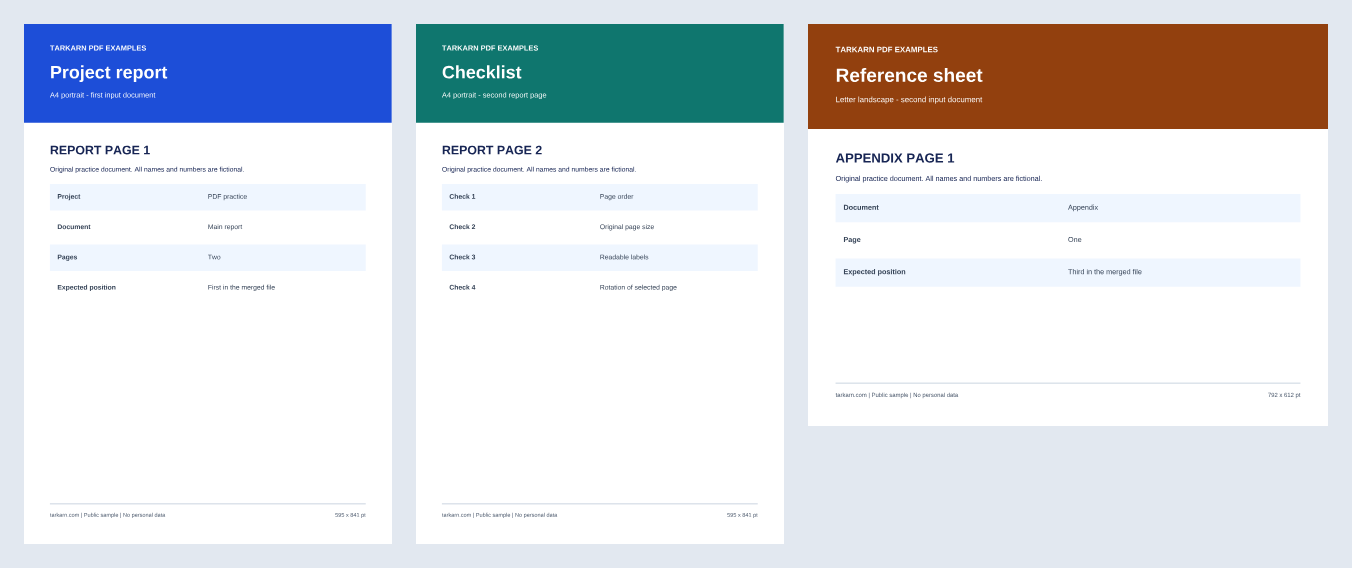 View full-size PNG
Only page 2 rotated
Three pages with the same boxes as merged.pdf. Raw rotations: 0°, 90°, 0°. Page 2 expected display size: about 841.89 × 595.28. Pages 1 and 3 keep their expected display sizes.
Sample PDF: rotated-page-2.pdf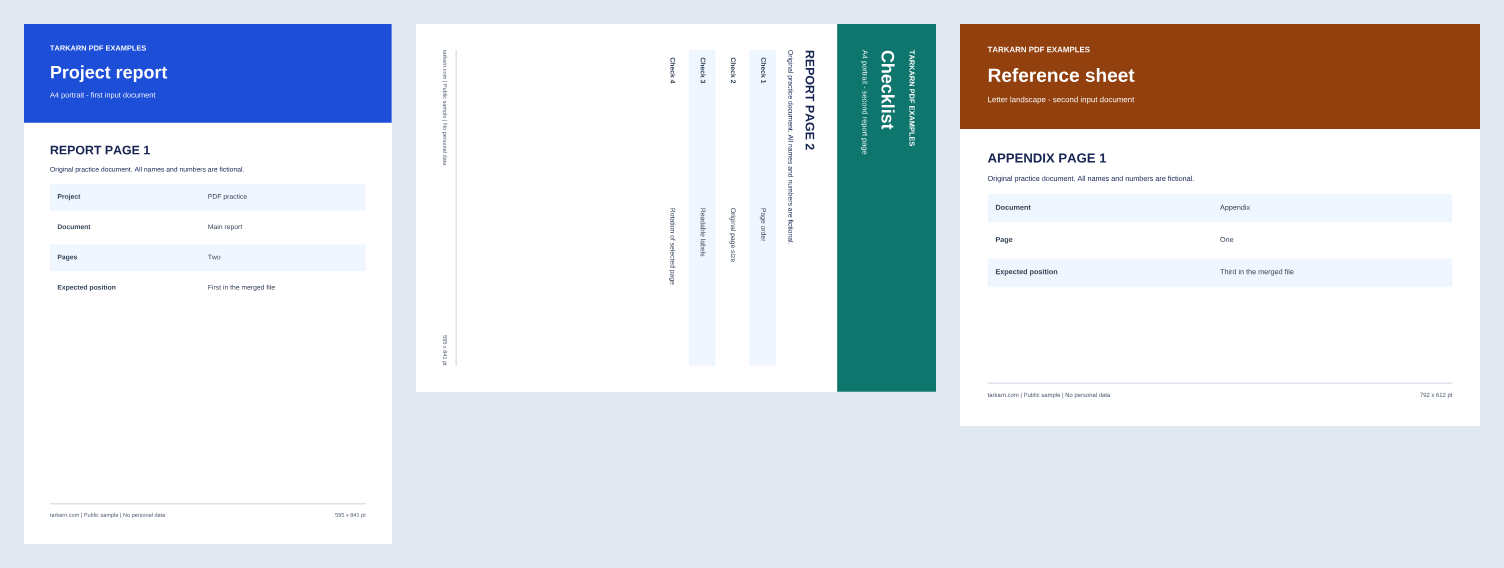 View full-size PNG
For separate size comparisons, inspect report.pdf (two A4 portrait pages) and appendix.pdf (one Letter landscape page).
Read the page inspection worked exampleWhat is Inspect PDF Pages?
Inspect PDF Pages helps you check why a document has mixed page sizes or why a page appears sideways. Select a PDF to read its page count, MediaBox paper area, CropBox visible area, raw rotation, and UserUnit. The table separates the stored boxes from a calculated display size. Use the supplied mixed-size and rotated samples to compare a two-page A4 report with a Letter landscape appendix. The tool reads the page structure; it does not check text, embedded content, accessibility tags, forms, or signature validity.
How to Use
- Choose one PDF, or select one of the sample inspection buttons.
- Compare each page’s MediaBox, CropBox, rotation, and expected display size. Read the unit and calculation notes above the table.
- Download the JSON report or CSV table if you need to compare values outside the browser. Clear the inspection before sharing the device.
Tips & Best Practices
- A4 and Letter labels are examples of paper sizes, not automatic classifications of every PDF. Compare the numeric width and height.
- A 90° rotation changes the expected display width and height, but does not rewrite the stored box coordinates.
- Keep the original PDF. A successful page inspection does not establish that every page renders correctly or that a digital signature is valid.
Use Cases
Mixed-size reports
Compare a portrait report with a landscape appendix before merging or printing.
Rotation checks
Compare stored rotation with the expected display size after turning one page.
FAQ
Does this tool validate PDF text, forms, or signatures?
No. It reads page-level boxes, rotation, units, and page count. It does not extract text, verify signatures, validate forms, or check the rendering and accessibility of document contents.
What does expected display size mean?
It is the size of the overlap of CropBox and MediaBox, adjusted for a multiple-of-90° rotation. It is a calculation in raw PDF user space units. Different reader behaviours and unusual document layouts have not been verified. Unsupported angles and non-overlapping boxes have no calculated display size.
Are my PDF or filename sent to the server?
The inspection and report creation run in your browser. This feature does not send the selected PDF, its filename, or its contents to the service server or add them to analytics. The sample buttons download the supplied public PDFs. Local processing does not guarantee device or shared-file security.
Which files can I inspect?
Choose one unencrypted PDF up to 100 MiB and 2,000 pages. Damaged files or unsupported structures can fail to load. The limits do not guarantee completion on every device. The published checks use small text PDFs, synthetic box and rotation fixtures, and the supplied samples.
What do JSON and CSV contain?
JSON includes the filename, byte length, page count, unit and calculation labels, and per-page values. CSV contains numeric page columns, raw rotation and UserUnit, plus a numeric flag for whether display size was calculated. Neither contains the document text.
Can selecting another file show old results?
Selecting another file or clearing the inspection removes the previous result. The inspector ignores replies from older read operations. The original file remains unchanged.