Merge PDF
Combine multiple PDF files into one document
Drop your PDFs here or click to browse
Supported format: PDF · Maximum file size: 100MB
Practice with sample PDFs
Download these fictional documents, upload them in the tool above, and compare your result with the reference below. The samples contain no personal information.
1. Download the input files
Report: 2 A4 portrait pages labeled REPORT PAGE 1 and REPORT PAGE 2.
Input PDF: report.pdf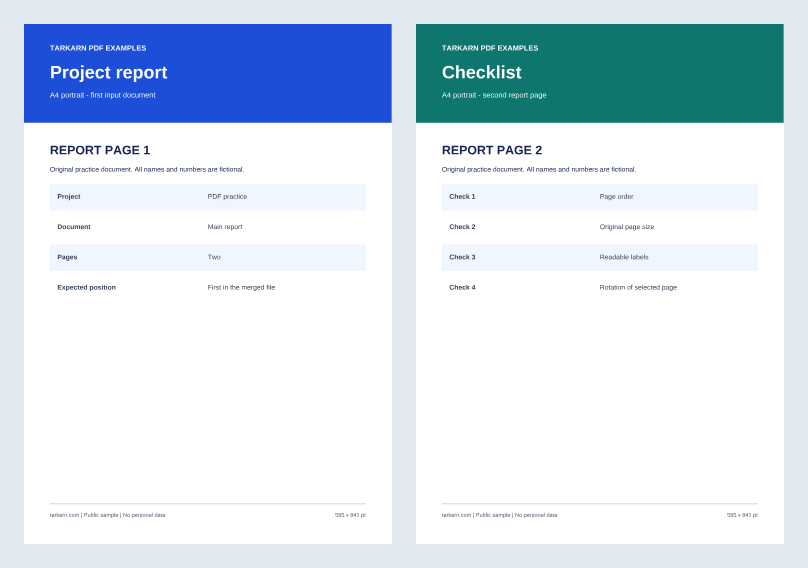
Appendix: 1 Letter landscape page labeled APPENDIX PAGE 1.
Input PDF: appendix.pdf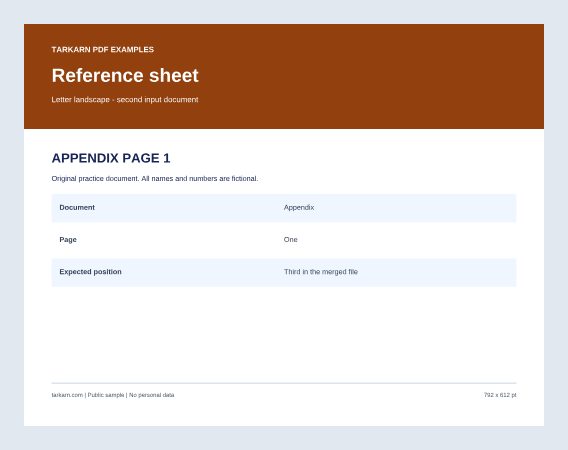
2. Try the example
- Upload report.pdf and appendix.pdf using the file picker above.
- Place report.pdf first and appendix.pdf second in the uploaded files list, then select Merge PDFs.
- Download your merged PDF and compare all 3 pages with the reference result.
3. Compare the expected result
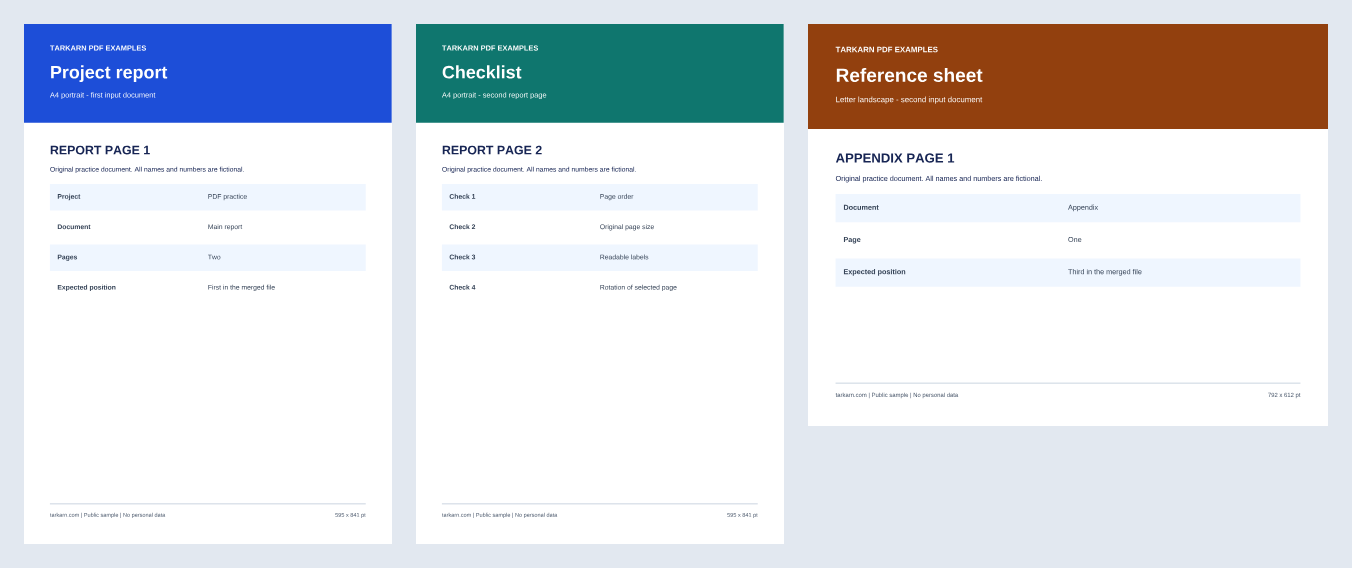
3 pages in order: REPORT PAGE 1 → REPORT PAGE 2 → APPENDIX PAGE 1. The first two pages remain A4 portrait; the last remains Letter landscape. No page is rotated.
A4 portrait: 210 × 297 mm. Letter landscape: 11 × 8.5 in. Compare page size and orientation; the saved file size in bytes can differ.
Read the worked example for the settings, checks, and limitations. The article includes English and Korean text.
Read the report and appendix merging exampleWhat is Merge PDF?
Merge PDF copies pages from your selected files into a new PDF in the order shown in the file list. The report and appendix example checks three pages, their labels, and their A4 portrait and Letter landscape sizes using small, unencrypted text PDFs. Processing happens in your browser without sending the selected files to the service server. Keep the originals and check the downloaded result before sharing; local processing does not guarantee the security of your device, downloads, or shared copies.
How to Use
- Upload the PDF files you want to merge.
- Reorder files using the up/down buttons if needed.
- Click the 'Merge' button.
- Download the merged PDF.
Tips & Best Practices
- Arrange your PDF files in the correct order before merging by using the up and down arrow buttons, as the final document follows the listed sequence.
- For very large files or many documents, close other browser tabs to free up memory and ensure smooth processing.
- Password-protected PDFs are not supported. Remove protection with a trusted desktop application before using this tool.
- After merging, use the Reorder Pages tool if you need to rearrange individual pages within the combined document.
- Consider compressing the merged PDF afterward using the Compress PDF tool, especially if the combined file is large and needs to be shared via email.
Use Cases
Report Assembly
Combine separate chapters, appendices, and cover pages into a single professional report document.
Invoice Consolidation
Merge monthly invoices or receipts into one PDF for easier bookkeeping and tax preparation.
Application Packages
Combine your resume, cover letter, certificates, and references into a single application file.
Document Archiving
Consolidate related scanned documents, contracts, or correspondence into organized single files for long-term storage.
FAQ
How does PDF merging work?
The tool copies pages into a new PDF in the listed file order. The sample checks three page labels, their order, and A4 portrait and Letter landscape sizes.
Is there a limit on the number of PDF files I can merge?
The file picker accepts PDFs up to 100MB each. Available browser memory and document complexity also affect whether a merge completes. The published example uses two small files and does not establish a safe total size for large documents.
Can I change the page order after merging?
You can reorder files before merging. After merging, use the 'Reorder Pages' tool to rearrange individual pages.
How does PDF merging technically work?
The tool copies pages into a new PDF in the listed file order. The sample checks three page labels, their order, and A4 portrait and Letter landscape sizes.
Can I merge PDFs with different page sizes?
The example combines two A4 portrait report pages with one Letter landscape appendix page and verifies their original sizes and orientations. Check the result when using other documents.
Are bookmarks and links preserved after merging?
The example checks page labels, order, sizes, and orientation for small, unencrypted text PDFs. Preservation of forms, digital signatures, bookmarks, annotations, and accessibility tags has not been verified. Keep your original files and inspect the downloaded PDF in the reader you use before sharing.
Can I merge password-protected PDFs?
Password-protected PDFs are not supported. Remove protection with a trusted desktop application before using this tool.
What is the maximum number of PDFs I can merge at once?
The file picker accepts PDFs up to 100MB each. Available browser memory and document complexity also affect whether a merge completes. The published example uses two small files and does not establish a safe total size for large documents.
What does merging preserve, and what should I check?
The example checks page labels, order, sizes, and orientation for small, unencrypted text PDFs. Preservation of forms, digital signatures, bookmarks, annotations, and accessibility tags has not been verified. Keep your original files and inspect the downloaded PDF in the reader you use before sharing.
Can I merge PDFs with different page orientations?
The example combines two A4 portrait report pages with one Letter landscape appendix page and verifies their original sizes and orientations. Check the result when using other documents.
Do I need to install any software?
No installation is required. This tool runs entirely in your web browser. Just open the page and start merging your PDFs immediately.
Is there a daily limit on how many times I can use this tool?
No, there are no usage limits. Since all processing happens locally in your browser, you can merge PDFs as many times as you need without any restrictions.
Will my merged PDF contain any watermarks?
The tool does not add a watermark. It saves a new PDF from copied pages; this does not guarantee preservation of every document-level feature.